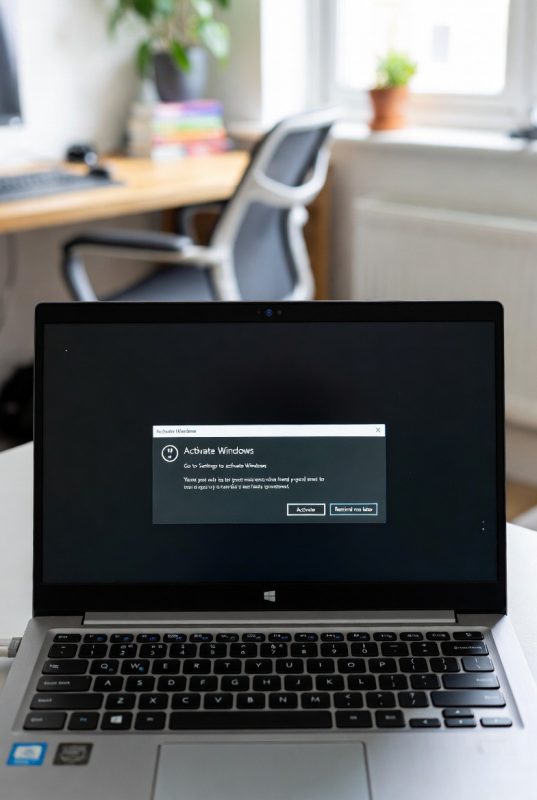
How to Fix the “Activate Windows” Watermark

Welcome to the Windows Help Centre
Whether you’re installing Windows for the first time, troubleshooting activation problems, upgrading to Windows 11, or recovering a lost product key, this Help Centre brings together all of our most useful Windows guides in one place.
Use the categories below to quickly find the help you need.
🔑 Windows Activation & Licence Guides
Activation problems are among the most common Windows issues. These guides explain how licences work and how to solve activation errors.
Recommended Articles
- OEM vs Retail Windows Licences Explained Simply
- How to Check if Your Windows Licence Is Genuine
- How to Transfer a Windows Licence to a New PC
- How to Recover a Lost Windows Product Key
- What Happens If Windows Is Not Activated?
- How to Fix the Activate Windows Watermark
⚠️ Windows Activation Error Solutions
If you’re seeing activation error codes, start here.
Troubleshooting Articles
- Fix Windows Activation Error 0x803F7001
- Fix Windows Activation Error 0xC004F213
- Why Your Windows Product Key Is Not Working
- Common Windows Activation Errors and How to Fix Them
Common Symptoms
- Activate Windows watermark
- Activation failed messages
- Invalid product key errors
- Licence not found errors
- Windows not activated notifications
⬆️ Windows Upgrade & Installation Guides
Planning to move to Windows 11? These guides explain everything step by step.
Upgrade Guides
- Windows 10 End of Support: What UK Users Need to Know
- How to Upgrade from Windows 10 to Windows 11
- Windows 11 Home vs Pro: Which Version Should You Choose?
- Windows 11 Installation Stuck? Here’s How to Fix It
🛠 Windows Performance & System Fixes
If your PC feels slow or unstable, these guides can help.
Performance Guides
- How to Fix Slow Performance After Installing Windows 11
- Windows 11 Wi-Fi Problems and Easy Fixes
- How to Fix Windows Update Errors in Windows 11
- How to Reset Windows 11 Without Losing Files
Common Problems
- Slow startup
- Lag after updates
- Wi-Fi disconnecting
- Windows Update failures
- Storage issues
🔒 Windows Security & Protection
Keep your system protected with the latest security guidance.
Security Articles
- Microsoft Security Features Explained for Non-Tech Users
- Windows 11 Security Improvements Explained
- How Windows Protects Your Data
- Windows Security Tips for Remote Workers
💼 Windows for Business Users
Business users often need additional security and management features.
Business Guides
- Windows 11 Pro for Small Businesses
- Best Software Setup for Small Businesses
- Microsoft Tools Every Freelancer Should Use
- Best Microsoft Software for Remote Work
❓ Frequently Asked Questions
How do I know if my Windows licence is genuine?
You can check your activation status by going to:
Settings → System → Activation
A genuine Windows installation will show that Windows is activated.
Can I transfer my Windows licence to another PC?
Retail licences can usually be transferred, while OEM licences are typically tied to the original device.
Why am I seeing the Activate Windows watermark?
This usually means Windows cannot detect a valid licence or activation has failed.
What happens if I continue using Windows without activation?
Windows will continue working, but you may experience activation reminders, personalisation restrictions, and potential licensing issues.
Is Windows 11 worth upgrading to?
For most users, yes. Windows 11 offers improved security, performance, and long-term support compared to Windows 10.
📚 Popular Resources
Most Read Windows Guides
- Windows 11 Home vs Pro: Which Version Should You Choose?
- How to Check if Your Windows Licence Is Genuine
- How to Upgrade from Windows 10 to Windows 11
- How to Recover a Lost Windows Product Key
- How to Fix the Activate Windows Watermark
🚀 Need a Windows Licence?
Before troubleshooting activation problems, make sure you’re using a genuine Windows licence. Genuine licences help ensure:
- Successful activation
- Security updates
- Stable performance
- Long-term reliability